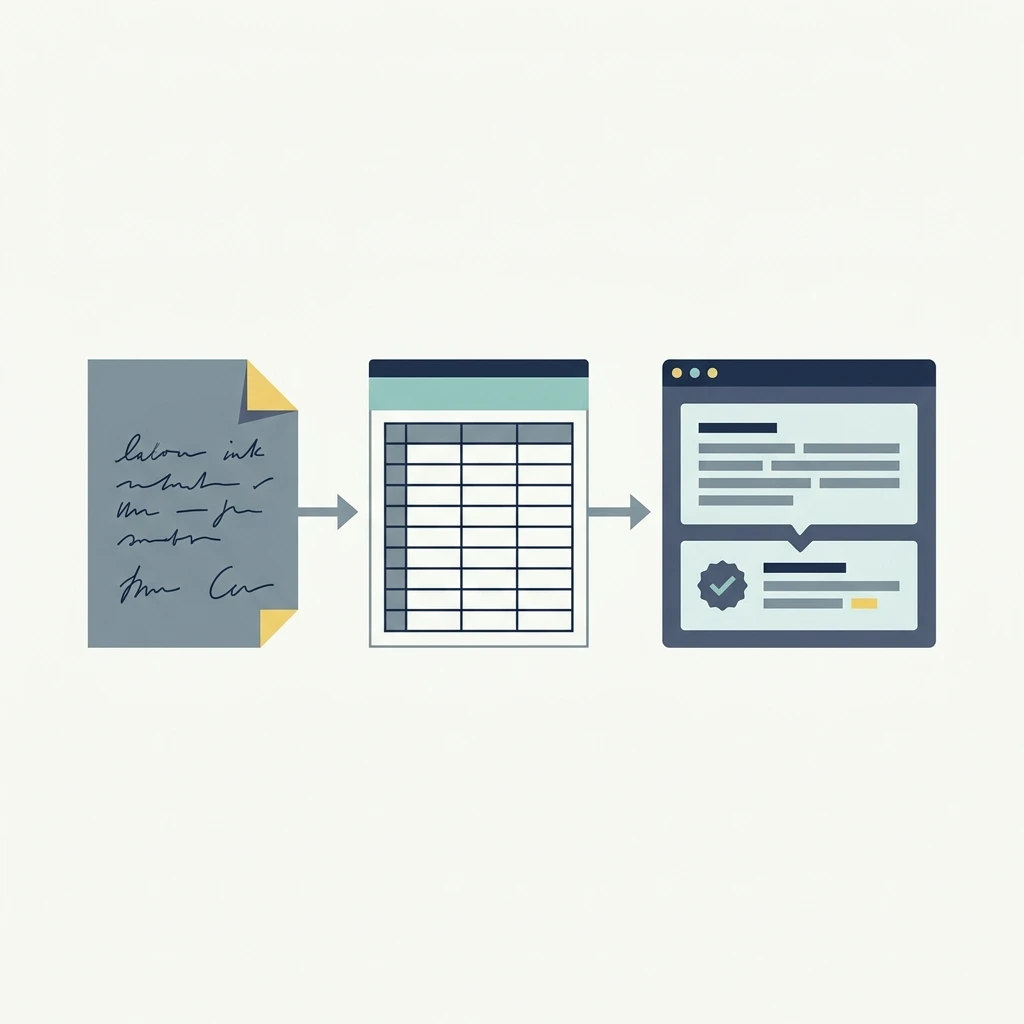
A Recovered Safety Record Can Count Wrong and Look Right
When old safety records are read from paper or mapped from exports, their errors pass standard platform validation rules whenever they look like valid entries. The data looks clean, the fields are valid, and the count is wrong.


You need to know whether a forklift has crossed the pedestrian walkway at Loading dock 1 before, and when. Hundreds of paper near-miss cards from 2009 to 2014 sit in the site's archive boxes; in a 40-card check sample, five cards describe that crossing. After those 40 cards are read into the EHS platform's fields, the same search finds four, and dates the first one 27 days early.
A recovered safety record is an old event entered into the platform's fields years later. Getting it there requires a conversion step—reading a paper page or mapping an old spreadsheet column—and that step introduces errors the original card never had.
The platform's validation rules were written to stop a person entering a new event badly, such as leaving a required box blank or typing a date in the future. They cannot check what the original page said, so a count built on these records looks right. A swapped day and month is still a valid date. A text box accepts "left truck" (misread from "lift truck"), and a category list that sends unknown words to "Other" accepts it without a warning. A description with a word missing still passes. Type in one card with the day and month reversed and see whether your platform stops it.
Recovering legacy safety records pays only when you have to count across more history than a person can read by hand before the answer is due, or when the same records will answer the next question. When only a few cards apply, read them yourself. A companion article covers when to find a record and when to recover it; this one starts after that decision.
Three Ways Back Into Fields
How an old record is stored decides how it gets into the platform's fields. Each path introduces different errors, so each needs its own check:
| Path | Source | Where its errors come from | How you check it |
|---|---|---|---|
| Map | A spreadsheet or the old system's export, already in columns | Merged categories, dropped columns, values poured into notes, or defaults filled into required fields | Compare each mapped field against the source column |
| Read | Paper, a scan, a PDF, or a photo | A misread character, a word swapped for another, or a date read in the wrong order | Compare the recovered records against a hand transcription of a sample |
| Repair | Records already mapped into the platform at go-live | The same mapping shortcuts applied during go-live | Compare the fields your search reads against the original records or the go-live export |
When a site switches from paper to software, paper cards and old-system records can overlap during the changeover months. Nothing in either place flags that the same event was logged twice, so check those overlapping months by hand before you count across both.
What Mapping Does to Each Field
In an EHS data migration, the mapping table—the list that pairs each old column and category with a new field—decides what your history means. Each field your search uses ends in one of five states, and only the first keeps what the old record said in a field a filter can read:
| Field outcome | What happened in the export | What the count loses | Test it on your platform | Fix |
|---|---|---|---|---|
| Matched | Date, area (now location), description | Nothing, as long as the values mean the same in both systems | Compare a sample of old values with the mapped ones. Check dates first: a day and month swapped is still a valid date. | None needed |
| Translated | "Fork truck", "Lift truck" and "Reach truck" became "Powered industrial truck", and the old text was not kept | The original category names. Nobody can filter for reach trucks before go-live. | Filter the category field for a term the old system used, such as "Reach truck", or compare the mapped field with the export column. | Keep the original text in a field of its own. |
| Dropped | The shift, with no field in the new record | Every filter and count on that column (such as Day vs. Night shift). Only the export still holds the value. | List the old columns that have no new field. | Link each mapped record to its row in the export. |
| Notes field | "Action taken", poured into a free-text notes field | Every filter. The value is there, but no report can count it. | Open a mapped record and look for old column labels inside a notes field. | Move the values your search uses into fields of their own. |
| Defaulted | Potential severity, a field the new platform requires and the old system never had, set to "Low" on every imported row | The difference between a real entry and a blank. A value nobody recorded is counted as if someone entered it. | Filter the old records on each required field. If every record carries the same value in a field the old system never had—or where the old column was blank—that value is a default (unless every imported record genuinely shares it, such as record type on an import of near misses only). | Add a "not recorded" value and use it in place of the default. |
Look for defaults first. A dropped field loses a value; a defaulted field invents one so the import accepts every old record without a blank required field, and that default sits as a signed-off line in the mapping table. When every imported forklift record gets "Low" potential severity by default, a search for high-potential forklift near misses before go-live returns zero. The export never held that answer, and the platform now shows one.
To repair records mapped at go-live, use the same table on the fields your search uses. If you need to re-score past results, you must have the original values: a dropped or defaulted value cannot be re-scored.
Reading Old Forms With AI
Older text-recognition tools required a fixed template for each form layout that marked where every box sat on the page. If a site changed its near-miss card three times, someone had to build three templates.
Newer document readers find form fields without a template and read handwriting, while vision language models take a plain list of the fields you want. That makes pulling a box of old cards into fields faster to set up. It does not make the output right.
Vision language models also predict familiar words in place of unfamiliar ones. In tests on printed documents, models replaced deliberately scrambled words with real dictionary words, whereas character-by-character text recognition returned the letters printed on the page. On a safety card, an unfamiliar entry can be the exact term your search depends on: a bay code, a site abbreviation, or an older term for a forklift ("lift truck" read as "left truck").
Dates fail for a different reason. A card that says "02/03/2009" does not say whether the writer put the day or the month first. When a site changes its card layout and date order over the years, applying one date order across the whole box shifts every date where the day is 12 or less and differs from the month.
Unlike AI that writes new records, a model reading an old card can be checked, because the paper card still exists.
Check the Count Against the Paper
Pull a sample of cards across every form version and year, and have a second person type them up by hand without seeing what the tool extracted. Then run your search on both sets—the hand transcription and the recovered records—and compare which cards each one finds, and on which dates.
Consider a sample of 40 cards across two versions of the form: 18 on form A (dated day-first) and 22 on form B (dated month-first), all read with a single month-first rule. The walkway search finds five cards in the hand transcription and only four in the recovered records:
| Card | On the paper | First reading | What happened |
|---|---|---|---|
| NM-001 | March 2, 2009 | February 3, 2009 | Day and month swapped |
| NM-006 | November 17, 2009 | November 17, 2009 | Match |
| NM-010 | June 21, 2010 | Not found | Missing from search |
| NM-026 | September 14, 2012 | September 14, 2012 | Match |
| NM-035 | April 2, 2014 | April 2, 2014 | Match |
| Times found | 5 | 4 |
The first reading fails twice: NM-001 has the wrong date, and NM-010 is missing completely. Each failure comes from a different mechanism and needs a different fix.
A Wrong Date: Set the Date Order by Form Version
To see why the date failed, count each field's matches separately for form A and form B:
| Field | Form A | Form B | All 40 cards |
|---|---|---|---|
| Date | 11 of 18 | 21 of 22 | 32 of 40 |
| Location | 18 of 18 | 21 of 22 | 39 of 40 |
| Category | 17 of 18 | 22 of 22 | 39 of 40 |
| Description | 18 of 18 | 21 of 22 | 39 of 40 |
Only the split by form version shows that the date errors sit on the older card. Of the 18 form A cards, 10 have a day of 13 or higher (which cannot be a month, so the software reads them day-first and gets them right) and one is March 3 (03/03/2010, which reads the same either way). The other seven have a day of 12 or less and come back with day and month swapped: "02/03/2009" meant March 2 and came back as February 3. Each swapped date is a valid date inside the years the cards cover, so the platform flags none of them. A bigger AI model does not fix this: only the form version tells you which date order to apply.
Setting form A to day-first and re-running that version fixes all seven swapped dates: all 18 form A dates now match, and every field matches on 39 of the 40 cards. Always fix form-version rules before anyone edits individual records by hand. If you change the prompt you give the AI rather than a fixed rule like date order, test that new prompt on a fresh handful of cards you did not use to write it.
That form-version rule has a limit: it follows the printed label on the card, not the habit of every person who filled it in. When a date error remains after that fix, check whether one writer used the other format—or whether a faint digit was misread (as on NM-023, where a faint "1" in 2011 reads as "7" and moves the near miss to 2017).
A Missing Card: Check Against Known Words
NM-010 says "lift truck". The reading returns "left truck", which cannot map to "Powered industrial truck", so the search misses the card. No form-version setting fixes a misread word.
Checking recovered values against a list of known words catches it. "Left truck" matches none of the category words on the checked sample, so the check flags it and a person reads NM-010 against the scan. Because this word check needs no new hand transcription, it runs across every recovered record, not only the 40-card sample. Any real category word that did not appear in the sample gets flagged too, and the reviewer adds it to the list.
This word check has a clear limit: a misread that produces another valid word matches a known term and passes unflagged. NM-027, a card about rain under a dock door, says Loading dock 2 and comes back as Loading dock 1, and the check passes it. If a walkway card at Loading dock 1 came back as Loading dock 2, the check would miss it, and so would your search. To catch a location misread that drops a card from your count, either draw a larger sample from the boxes or inspect the recovered records that match the rest of your search (forklift and "walkway") across all locations.
Three errors still remain across the 40 cards, and none of them touches the walkway count: NM-023's misread year (a manual handling card at the charging bay), NM-027's dock, and the missing word "pedestrian" on NM-035 (where the search filters for "walkway"). A field-by-field accuracy score weights those three harmless misses the same as the misread that hid NM-010. Only running the search separates the errors that matter from the ones that do not.
With NM-010 corrected and the date order fixed, the hand transcription and the recovered records find the exact same five cards on the same five dates. That match proves the reading is accurate enough for this specific search, but only for the cards you checked by hand. It says nothing about the hundreds of cards in the box that nobody transcribed.
Mark Every Recovered Record
The sample check tells you whether the recovered fields are accurate enough to count. It does not tell the next person who opens one of those records in the platform that it came from an old card or export rather than being entered when the event happened. A better model lowers the error rate in the sample; it does not remove the need to mark which records were recovered, how they were checked, and which reports must exclude them.
Split that audit trail between the record itself and the recovery run—one batch of records read or mapped the same way. That keeps batch details off individual records while preventing them from being buried in a free-text notes box where no filter can read them.
Each recovered record carries four fields, shown here for NM-010:
| Field on the record | Stored on NM-010 | What it does |
|---|---|---|
| Recovery run | Form A paper recovery | Links the record to the batch details below. Any record with a recovery run is a recovered record. |
| Link to the original | The scan of the card | Gives one-click access to the source. On a record mapped from an export, this points to its row in the export—the only way back to a column the mapping dropped. |
| Source text | Date: "21/06/2010"; Category: "lift truck" | Stored separately from the mapped category. For a read card, this holds the text as read, corrected where a reviewer checked it against the scan; for an export, it preserves the old column value verbatim. Keeping the date as read lets a corrected date order be applied again without anyone reading the card a second time. |
| Reviewer correction | Category corrected from "left truck" against the scan (reviewer named) | Records who fixed a misread value against the original. Blank when no manual edit was made. |
On a card that was read, the scan is the only true original. The stored source text comes from the same reading as every other field, so it is only as reliable as the check behind it. On a record mapped from an export, the stored source text is the old system's own value, so a translated category can still be filtered by its old name.
Record once for each recovery run what produced its records and what the check covered:
| Field on the recovery run | Form A paper recovery | What it tells the next user |
|---|---|---|
| How it was produced | Paper card, form A, read by a model (name and version recorded) with day-first date order | Lets you compare one recovery run with another, and re-run one form version when a rule changes. |
| Checks completed | Word check across every recovered record; walkway search check on the 40-card sample (5 of 5 cards found on the same dates), with the list of cards in the sample | Shows which cards and which search the check holds for—and confirms that cards outside the sample were not transcribed by hand. |
| Signed off by | The EHS manager (named) | Confirms the check passed before anyone relies on the count. |
Dashboards that count records by the date they entered the platform, not the date the event happened, must exclude every record that has a recovery run. That keeps NM-010 out of the count for the year it was loaded, while keeping it in 2010 for trends by event date. If your platform triggers automatic tasks or measures reporting delay when a new record is created, turn those rules off for records with a recovery run.
Records mapped at go-live are recovered records too: give the go-live import its own recovery run, or entry-date reports will count every historical record in the go-live year.
When a handwritten word or date on a card is illegible, record "could not be read"—never a guess. In an export, write "not recorded" for blank columns instead of filling in a default. Someone can inspect the scan or export later; a guessed value looks like real data.
Have the implementation lead add these fields, and a place to record each recovery run, to the platform before the first record is loaded; adding them later leaves the first batch unmarked. A vendor can run the comparison, but only the person asking the operational question knows which fields the count depends on and which errors change the decision.
Trust a count built on recovered records only after you have checked it against the originals—and only while every recovered record stays marked as one.