Why Frontline Workers Fabricate Safety Data
Jun 12, 2026
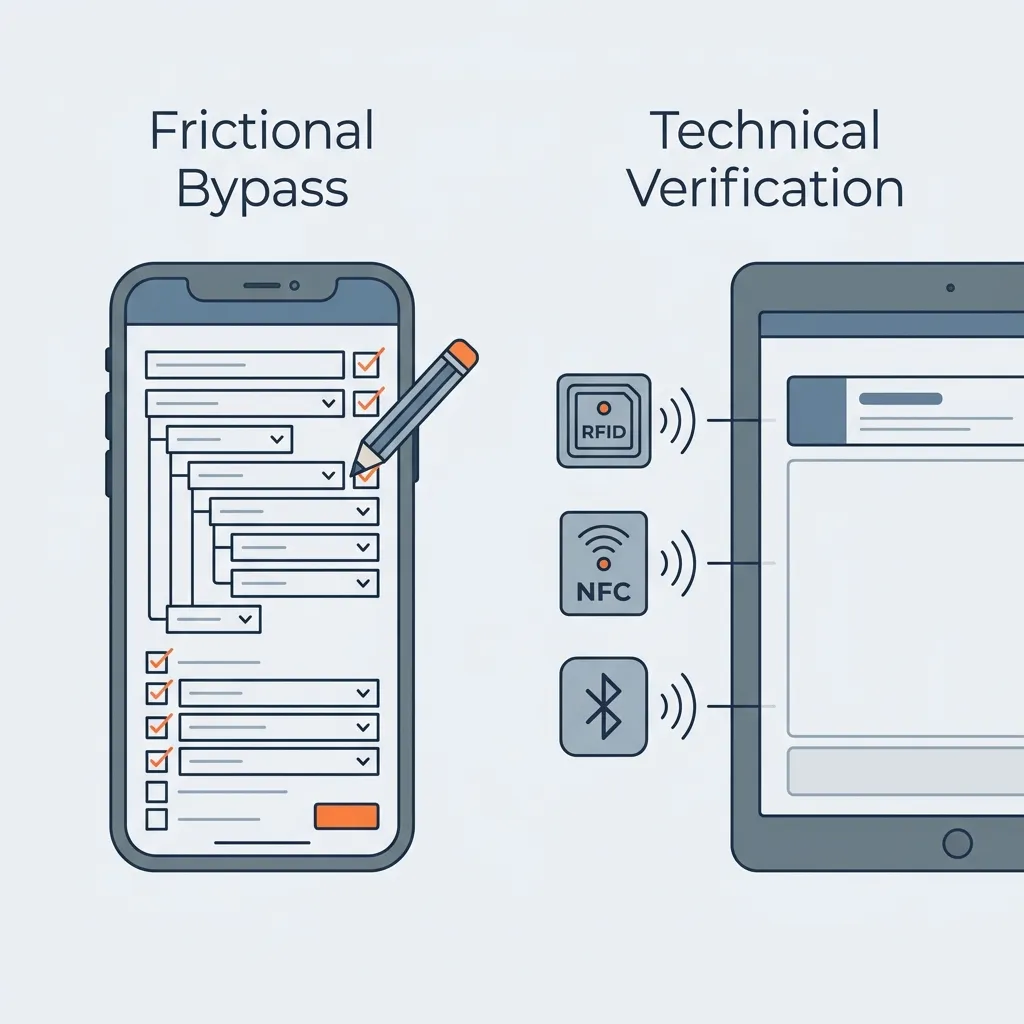
Industrial safety databases are full of fictional data. Digitization promised a clear, instant picture of site safety. Instead, it scaled a decades-old analogue problem. Research from the paper era shows that safe work procedures have long been signed off solely to pass audits rather than reflect operational reality (Borys, 2012), and that subcontractors routinely hide injuries under commercial pressure (Dong et al., 2011). Digitization did not break this habit; it automated it. While physical paper forms were naturally limited by page size, digital EHS templates make it costless to add required fields. Administrators keep adding verification checkboxes until falsification becomes the only way frontline crews can actually complete their shifts.
In standard web design, if a form has more than seven boxes, most people give up and close the page (Zuko, 2023). Yet safety apps force workers to fill out dozens—sometimes more than a hundred—mandatory fields while they are trying to get physical work done. To clear the screen and get back to work, crews simply type random characters or placeholders to bypass required fields.
The Choice: Work or Log
Consider a site supervisor at a manufacturing plant. It is 15:45, and shift change is in fifteen minutes. The incoming crew is waiting. The supervisor must hand over the operations log and verify that the maintenance isolations are active.
They open the company's enterprise EHS app to complete the mandatory daily shift inspection. The app displays 25 checkboxes and three mandatory text fields describing "housekeeping conditions."
Inspect & Log Honestly
Walk the site honestly, then stay 15 minutes late to type descriptions on a tablet.
Prioritize Operations
Focus on the handover, then check the boxes from memory in your truck to go home.
In reality, no supervisor will let a tablet interrupt a physical shift handover. They prioritize the crew and the machinery. Instead, the conflict is pushed to the end of the shift: to avoid staying late, the supervisor sits at their desk or in their truck and retroactively checks "Yes" down the column, types "Good" in the mandatory boxes, and clicks submit.
The safety dashboard shows a "100% completed audit." The data looks clean, but it is completely divorced from the floor. This happens in hospitals, too: doctors copy and paste identical patient notes day after day because they are buried in paperwork. Studies show that between 66% and 90% of clinicians routinely copy and paste text in electronic health records (Tsou et al., 2017), resulting in "note bloat" where up to 82% of inpatient progress note text is copied or imported rather than manually written (Wang et al., 2017). In healthcare, this copy-pasting hides when a patient is getting sicker, leading to medical errors.
On industrial sites, the same duplication occurs because EHS apps are completely cut off from other site systems. A supervisor might physically inspect a machine, identify a defect, and immediately log a work order in the site's maintenance system (CMMS) so a mechanic actually fixes it. But when they open the separate EHS app, they check "Everything OK" to bypass the redundant risk assessment forms. The physical machine gets fixed, but the safety database records zero defects, leaving safety managers blind to high wear-and-tear rates and how quickly equipment is breaking down.
Why Reporting a Hazard is Harder Than Resolving It Silently
Crews check "Safe" on checklists because EHS apps make reporting a real problem take too much time:
- Checking "Safe": 1 tap.
- Reporting a Hazard: Selecting a hazard category, typing a description, attaching a photo, and assigning a corrective action.
If a rigger finds a frayed tag line on a crane hook while performing a pre-lift checklist, reporting the defect through the app requires them to stop work, remove their leather gloves, navigate three levels of nested dropdown menus on a glare-ridden screen, and wait for a photo to upload over a weak cellular signal. Alternatively, they can simply swap the rope with a spare from the tool crib, proceed with the lift, and check "Safe" on the screen. While the physical work is completed safely, the EHS database misses the warning. The safety team never learns that tag lines are wearing out twice as fast at this site, because the app's administrative friction—screens and mandatory fields that add no physical safeguard—has pushed crews to hide maintenance realities under a blanket of perfect checks.
The software makes compliance harder than the shortcut. To prevent this, software vendors add enforcement features: mandatory photo attachments, GPS tracking, and locked required fields. Frontline crews simply develop workarounds. To satisfy the photo requirement, they take pictures of the ground or their boots. To bypass GPS checks, they complete the forms from the cab of their truck parked near the equipment. This blind checking — commonly called "pencil whipping" — makes all the entries look identical, hiding the actual conditions in the safety database. When thousands of records show identical entry times and uniform "safe" statuses, the database no longer measures site risk. It measures the speed of a worker's thumb.
Focusing on checklist completion rates creates a dangerous feedback loop. As highlighted in the journal Professional Safety, rigid quotas do not reduce risk; they turn safety reporting into a compliance ritual (Ludwig, 2014). A site with a 100% completion rate and zero reported defects is rarely safe—it is simply burdened by an interface so demanding that workers have collectively agreed to lie. Shortening checklists and removing administrative friction shows the actual differences in daily site conditions, proving that crews are logging actual hazards instead of clicking through templates.
How to Spot Pencil-Whipping
To check if safety logs are real, look at the digital records of how and when forms are submitted. Even if safety apps switch to voice recorders, safety managers still need to verify the work. Without background logs, a voice tool just records long paragraphs of unorganized text. Talking to an app does not prove the inspection happened; it just lets crews record unverified data faster. The table below shows three ways crews bypass safety apps, how to spot them in the database, and how to fix the root cause.
| How Crews Bypass the App | What They Do | What the Data Shows | How to Fix It |
|---|---|---|---|
| Fake Text | Crews type single characters or generic terms to bypass required text fields. | Database audits reveal comment fields dominated by single punctuation marks (periods, hyphens) or generic, repetitive entries ("N/A", "OK", "good") that contain zero operational detail. | Hide text boxes by default: Keep comment fields hidden. Only display and mandate them when a worker marks a check as "Failed" or logs an active hazard. |
| Speed Checking | Workers perform their physical rounds but complete the checklist later in a single block of entries to avoid interrupting work. | Database logs show dozens of checkboxes completed in rapid succession—often in a single burst at the end of a shift—with entries seconds apart and none of the gaps a real walk-around leaves. | Verify presence and integrate systems: Use NFC tag scans—tapping the phone against a location chip mounted on the machine—to verify the inspector was there, but cross-reference checks with live sensor readings (such as temperature, pressure, and running hours) to automatically confirm that the inspection took place without requiring manual entries. |
| Omitting Minor Hazards | Workers physically resolve minor hazards (like moving a trip hazard) but do not report them to avoid app friction. | The EHS database shows zero housekeeping hazards or near-misses for months, while warehouse inventory records show a steady consumption of oil-absorbent pads and barricade tape. | Provide single-tap logging: Allow workers to capture a photo of a resolved hazard and submit it with a single tap, using background context data (GPS, user ID, timestamp) to populate the form. |
This does not mean safety apps should eliminate all operational checkpoints. In high-risk environments, some deliberate delays are necessary. We rely on physical interlocks, lockouts, and permit clash checks to prevent work from starting when conditions are unsafe. The distinction lies between physical safeguards (which block physical hazards) and screen-tapping delays (which simply forces workers to fill out screens). Safety software must eliminate the administrative paperwork while keeping the operational safeguards.
The Solution: Technical Countermeasures
To prevent these field workarounds, safety software vendors have developed mobile features that replace digital policing with offline-capable designs that require fewer taps and operate instantly without a network. If you procure EHS software, you must write these specific interface performance standards directly into your contracts. Test them by having a frontline operator try to submit a report wearing heavy gloves in a glare-ridden, remote area of the site. If the software takes longer to navigate than the physical walk of the machinery, reject the vendor.
Fixing the app is useless if your safety culture punishes workers for reporting operational delays. You cannot run a safe site on data generated by workers who are forced to lie to keep their jobs. But if the culture is open, the software must support it by closing the technical loopholes that drive crews to bypass the system.
Five technical design rules address the primary workarounds frontline crews use to bypass digital checklists. One test runs through all of them: verification the worker never feels—a badge tap, a sensor reading the app collects on its own—survives the field. Enforcement that adds taps gets defeated:
- Automating input to eliminate "speed checking" and "fake text". Instead of
policing workers with required fields that they bypass with meaningless characters (like
"." or "OK"), systems pull data directly from hardware so workers do not have to type on a
screen.
- Stream personal sensor data: Connect Bluetooth-enabled gas detectors (such as the four-gas MSA ALTAIR 4XR or a single-gas Honeywell BW Solo) directly to the app to automatically record oxygen and explosive gas levels (like LEL on the 4XR) without manual typing.
- Query machine telemetry directly: Instead of forcing workers to manually write down gauge readings or take photos of dials to prove presence, have the app pull the machine's actual operating readings (like pressure or temperature) directly from a local wireless gateway or pair with the gauge's local Bluetooth Low Energy (BLE) transmitter (such as a WIKA digital pressure gauge). This automatically verifies that the worker is at the machine and records the numbers without needing internet access.
- Verify presence without typing. Have the worker verify a lockout point by tapping their phone against the NFC tag on the padlock. To stop crews from keeping spare chips in the control room, use secure tags (such as NXP NTAG 424 DNA chips) that change their code on every scan. This is the kind of verification that survives the field: a dynamic tag costs the worker the same single tap as a static one.
- Verify identity without removing gloves. To prevent supervisors from handing their tablets to helpers, require them to scan their personal employee badge — the same contactless card technology (Radio Frequency Identification) as their site access badge (readers from vendors like HID Global) — against the tablet to sign in. This verifies who is doing the work without requiring them to take off their gloves or safety glasses.
- Preventing app freezes during connection drops with local database storage. To prevent workers from
skipping reports because cellular dead zones leave the screen spinning during image uploads, the
device must operate as the primary record.
- Instant Local Saves: The app writes all checklist inputs and photo attachments directly to a local database running in the tablet's local storage. Because a local save completes in milliseconds instead of waiting for a cellular signal, the screen is never left hanging on a network connection. Once the tablet moves out of concrete structures and reconnects to the network, the app automatically forwards the saved queue to the central cloud safety database.
- Graceful offline limits: If safety apps lock the screen the moment coverage is lost, workers will complete their checklists from the truck to avoid lockout. The system must allow continuous offline entry. To protect safety without locking the worker out, the app should only restrict active permits if the device has failed to send data through any local connection — plant Wi-Fi or a nearby network box — for a generous window (e.g., two hours). A screen lock that fires the moment a worker steps behind a concrete wall does not protect anyone; it trains the crew to fill out the form before walking in.
- Neutralizing hardware failure workarounds. Rigid systems that lock up when a
sensor
fails drive crews to spoof the system or abandon the digital tool. Proximity fallbacks ensure a
broken tag does not halt work.
- Location-Based Fallbacks: Use the phone's built-in location services to suggest the closest machines in the general work area. Because satellite signals bounce off steel scaffolding and concrete decks (creating positional errors), simply drawing a boundary on a digital map (geofencing) cannot prove a worker is actually standing next to an indoor machine. If the worker manually selects a machine because the NFC tag is broken, the app flags the entry as manual and asks for a live reading — such as the current number on a physical dial or run-hour gauge—to confirm they are standing next to the machine.
- Automated Maintenance Requests: For fixtures without gauges (like handrails), a manual bypass automatically triggers a low-priority tag replacement work order in your CMMS (such as an SAP PM or IBM Maximo ticket with a "Defective Tag" maintenance code). Every automatic scan must include a manual bypass option so a broken chip never halts physical work, but the bypass must be logged as an exception. To prevent manual entry from becoming the default path, repeated bypasses on the same machine escalate to the supervisor as a flagged alert — reviewed later, without blocking the work itself.
- Making "Failed" as cheap to report as "Safe." If selecting
"Failed" forces a worker to fill out dozens of corrective action fields, they will check "Safe"
to avoid the extra paperwork. Hiding the extra fields for safe checks is not enough on
its own—the honest answer has to cost roughly the same number of taps as the dishonest one.
- Hiding Follow-Up Questions: If a worker checks "Safe," the inspection ends there. Corrective action fields are hidden by default, so a genuinely clean round never asks for text the worker has nothing to put in.
- Single-Tap Defect Logging: When a check fails, the worker takes one photo and submits. Background context data — GPS, user ID, timestamp, and the equipment identified by the last NFC scan — fills in the form, and the hazard category and corrective action are assigned afterwards by the safety team at a desk. The rigger who finds a frayed tag line reports it with a photo and a tap, not three levels of dropdown menus with the leather gloves off.
- Cross-Checking with Sensor Data: To prevent crews from checking "Safe" on a machine with an active fault, the app compares the machine's live readings against the safety limits (such as temperature or vibration) it saved at the start of the shift. When online, the app pulls these readings from the site's central sensor database (often called a plant historian). In dead zones, it listens for wireless signals broadcast by the machine itself, or connects to a local network box. If a worker checks "Safe" while a live sensor reads outside the limits, the app asks them to verify the reading or log the defect before submitting. The mismatch is recorded to track sensor calibration needs or errors in reporting. This backstop only works on machines with built-in sensors — for everything else, the single-tap path above carries the load.
- Connecting separate apps to prevent defect hiding. When the safety app and the
maintenance system do not talk to each other, every defect demands double entry. The supervisor
logs the work order where the mechanic will actually see it — the CMMS — and checks "Everything
OK" in the EHS app to skip the redundant forms. The machine gets fixed; the safety record reads
zero defects.
- One Entry, Both Systems: When a worker logs a defect in the safety app, it triggers the repair order directly in your CMMS (such as IBM Maximo or SAP PM) using an automatic connection, so no planner re-types the request along the way. The worker never fills in the same defect twice.
- Flowing maintenance data back: Work orders raised directly in the CMMS with safety-relevant failure codes flow back into the EHS database automatically. The supervisor who logs a defect straight into the maintenance queue — no longer leaves the safety record blank — the integration writes it there for them, and safety managers regain the wear-and-tear trends that disconnected systems were hiding.