The Digital Error Trap: How Interface Risk Becomes Systemic Failure
April 28, 2026
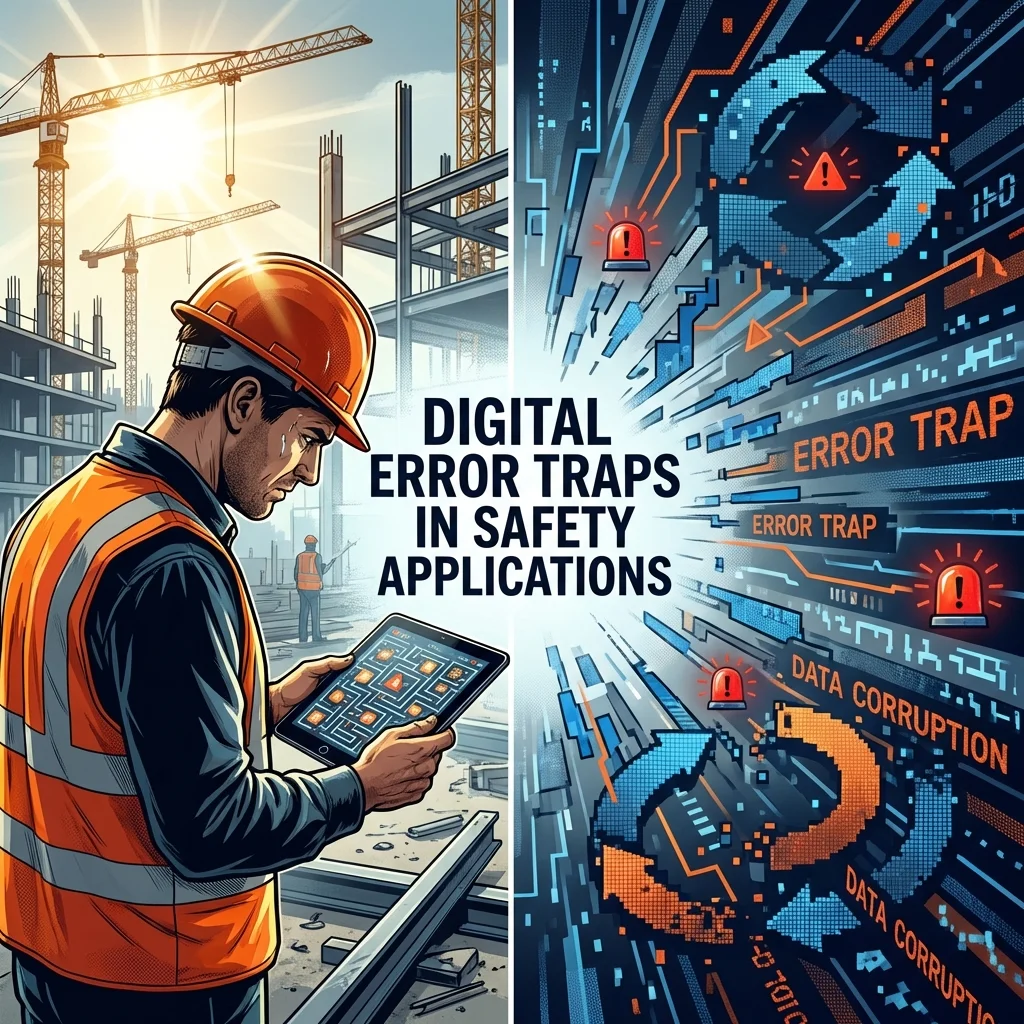
EHS management has moved from the shop floor to the screen. The physical reality of the worksite — the walkways, levers, and machinery — is now managed through a digital layer of interfaces, data fields, and dashboards. The error traps moved with us.
An error trap is a design feature that makes a specific mistake more likely before the worker has made any choice — a confusing label on a valve, two identical-looking controls with different functions, an alarm that looks routine but isn't. It doesn't cause the incident. It sets the conditions for it. The interface is the same trap. A form that makes the wrong hazard category easier to select than the right one is not a minor configuration error; it is a setup that exists before the worker makes any choice — it pushes them toward the wrong answer.
That wrong classification doesn't stay in one record. Accepted across a workforce over weeks, it becomes the data. The same hazard is filed under a dozen different labels, none of them appearing often enough to trigger an alert. The hazard is in the data. The data cannot show you that.
Consider what happens when one category requires fewer keystrokes than the others on a new mobile app. Within a quarter, a significant share of near-miss reports land there — not because that category is accurate, but because it is faster. The dashboard shows a clean drop in Slips/Trips/Falls reports. The safest-looking dashboard in the company's history is actually a map of worker frustration. The real hazards are still on the floor — workers filed them under the easiest option to save time. Leadership is making decisions on data that doesn't match reality.
How the Interface Corrupts Your Data
Researchers found that software built to prevent medication errors facilitated 22 distinct error types instead (Koppel et al., JAMA, 2005). The seven mechanisms below are the EHS equivalent.
Think of the interface as a sensor connecting field reality to leadership decisions. When that sensor is misconfigured, it generates errors through seven primary mechanisms. Not every platform triggers all seven — but each one is a specific thing to check in your own.
Habit Override
The interface assigns the same swipe to routine and critical tasks alike. A fatigued worker swipes left on a high-risk conveyor alarm — the same gesture used to dismiss a "Shift Ended" notification. The interface made both tasks look identical.
How Habit Override produces the error — swipe each card left
Feedback Holes
When the system does not confirm an action, workers panic-click. A worker taps "Submit" five times because the screen froze. On a platform that does not check for the same report submitted more than once, that logs five separate incidents for one event. This inflates your incident count, forcing safety teams to chase phantom records instead of real hazards. The USS John S. McCain collision (National Transportation Safety Board, NTSB) is the same failure at a different scale: the crew had no way to confirm which station held steering control or whether their inputs were taking effect. The overcorrections were catastrophic.
How Feedback Holes produce the error — tap Submit on each
Signal Fragmentation
When form categories overlap, the same hazard type gets filed under different labels. Ten workers report oil spills at the loading dock over a quarter — three label them "Slip Hazard," four call them "Housekeeping," and three select "Fluid Leak." That looks like ten small, unrelated problems instead of one recurring failure. No pattern is visible. The data can no longer tell you what is about to go wrong.
How Signal Fragmentation hides a systemic failure
10 reports, one quarter
Smart Guess Error
Modern platforms pre-fill hazard categories to reduce entry time. When the pre-fill is wrong and correcting it costs more effort than accepting it, the worker accepts it. The worker didn't make a mistake here — the interface did, and then made it easier to keep than to fix. Your incident data now reflects what the system guessed, not what the worker saw.
This is what distinguishes Smart Guess Error from Signal Fragmentation in your data: Signal Fragmentation shows as inconsistent categorization — the same event labelled differently by different workers. Smart Guess Error shows as uniform categorization that doesn't match field conditions — it looks clean precisely because the error was systematic.
When a platform uses AI to suggest categories, it learns from the records already in the system. If those records contain Smart Guess Errors, the AI repeats them.
How Smart Guess Error produces the error — choose a path
Alert Saturation
When permit approvals, training alerts, and shift handover notifications all arrive looking identical, workers stop reading any of them. Unlike Habit Override — a gesture problem — Alert Saturation is a volume problem. A critical alert — a permit about to expire, an isolation not yet cleared — arrives. It looks like the previous forty. It is dismissed. No record shows it was seen. The BP-Husky Toledo Refinery explosion (Chemical Safety Board, CSB) shows the same failure: in the hours before the explosion, the control system generated more than 3,700 alarms in 12 hours — as many as 281 in a single 10-minute period — and operators could no longer distinguish critical from routine.
How Alert Saturation removes the ability to distinguish critical from routine
Physical Decoupling
When the interface allows a Lockout/Tagout verification or confined space atmospheric check to be logged without being performed, the record and what happened on the ground no longer match. The record isn't inaccurate — it is fabricated. Fabricated compliance on a safety-critical control. The machine may be live. The permit says it's isolated.
Form Abandonment
When a form is too long or too slow to complete on the spot, workers walk away. No record is filed. Form Abandonment is the only mechanism that produces a zero — not a wrong record, not a duplicate, not a miscategorized entry. An absence. Declining near-miss volumes on a platform with known usability problems are not a sign of improvement. They measure abandonment. You cannot measure what was never filed.
Digital EHS platforms produce more reports, faster, and with better site-wide visibility than paper. They also introduce a failure mode that paper contained by accident — an error in one record stayed in one record. The same misconfiguration applied across a 500-person workforce corrupts 500 records simultaneously. Better-designed platforms remove several of these mechanisms. Name the ones your platform triggers — you cannot challenge a vendor claim or flag a corrupted trend to leadership without knowing what is wrong.
Across a workforce over months, these traps don't just affect individual records. They corrupt the data leadership uses to set priorities, generate compliance records that don't reflect what happened on the ground, and build organizational habits — dismissing alerts, accepting pre-fills, abandoning forms — that outlast any software fix. The interface your organization procured to prevent incidents can, through poor design, make the next one more likely.
What to Demand From Your Platform
Start Here: Establish What You're Dealing With
Before you evaluate vendors or update your risk register, you need your own baseline. These three steps give you the evidence to act from.
- Calculate how much time your team spends fixing bad data. Document the person-hours your safety team spends monthly correcting miscategorized entries, removing duplicates, and clarifying system-generated reports. This is your operational baseline. Every hour spent correcting records is an hour lost to field-based hazard prevention — bring the same rigour to reducing it that you bring to physical risk.
- Map the gap between reported and observed hazards. Compare the top 5 hazards reported in official systems versus the top 5 hazards discussed in toolbox talks and informal records kept outside the system. The gap between the two lists is one indicator of how much the platform is distorting your picture of the site.
- Audit the original procurement decision. Review old procurement documents or lessons learned from the original rollout. Identify where usability requirements were traded for "feature counts" or "rollout speed." Those may be the sections where the vendor built what the spec required and stopped — and the most likely locations for error traps.
Interface Risk on the Risk Register
Many EHS leaders treat interface quality as a procurement or IT decision where they have no vote. That assumption is itself a safety risk. ISO 45001 Clause 6.1 requires organizations to identify all risks that can affect the integrity of their safety management system — interface failure modes meet that definition. Interface Risk is not a new hazard — it is an error trap: a condition that makes it more likely a worker fails to execute a critical control correctly. Your job is not to become a software expert; it is to identify which critical controls in your existing register are vulnerable to interface failure, and record those failure modes against the relevant entries.
When a clunky interface causes a near-miss report to be abandoned, that is not a "technical inconvenience"; it is an unassessed failure mode for a Critical Control — the specific safety barrier that prevents a serious or fatal outcome — already on your register. If those failure modes are not documented, the risk was never formally assessed — and you have no standing in the next vendor negotiation or incident investigation. If the SLA is already signed and procurement authority sits with IT, start with the risk register entry: a documented failure mode gives you standing in the next budget conversation, even if you had no vote in the last one.
Example: interface failure modes documented against existing register entries| Hazard | Critical Control | Control Failure Mode |
|---|---|---|
| Uncontrolled energy release during maintenance | Isolation permit raised and verified before work begins | Mobile form abandoned mid-entry; permit not recorded (Form Abandonment) |
| Fall from unguarded edge at height | Edge protection confirmed in place and fit for purpose before work begins | Checklist pre-filled with prior "in place" status; current defects not recorded because worker accepts pre-fill without re-checking (Smart Guess Error) |
| Toxic atmosphere — confined space entry | Entry permit raised, atmospheric test recorded, and standby person assigned | Permit expiry notification dismissed among routine alerts; work continued in confined space beyond the authorised window without valid permit (Alert Saturation) |
Gemba Walk: A Field Test Before Rollout
Before signing off on a platform rollout, require a Gemba walk — a structured walk-through of the actual worksite where the reporting will happen. Assign a frontline supervisor — not an IT administrator — to complete the full reporting process on a mobile device in real field conditions: standard site PPE, heavy work gloves, outdoor glare, the same connection they'd have on site. Their experience is your pass/fail test. If they struggle, you have grounds to reject or delay the rollout. Problems invisible in a demo room become predictable failures once it goes live.
What to Put in the RFP
"User satisfaction scores" and "ease-of-use ratings" are not safety evidence. Alongside data privacy requirements, your RFP should require vendors to show how each design feature prevents workers from making errors, and to produce error rate data from real field conditions — not demo room conditions. Ask for the specific workflows your workers use, demonstrated on the actual devices and in the conditions they will face on site. A vendor that has done field testing can tell you the form completion rate for a near-miss report in standard site conditions — if they cannot give you that number, they cannot tell you whether their design works. The relevant question is not whether your vendor invested in interface design — it is whether they can show you real field error data for your specific workflow. If they cannot, their design decisions were made without field evidence — and without evidence, safety is an assumption, not a result.
Track Where Workers Struggle — Make It a Contract Requirement
Some platforms automatically track where workers struggle — flagging when the same step is retried multiple times or when a form is consistently abandoned at the same field. This kind of data exists; the question is whether your vendor collects it. Add it to your RFP: ask whether the platform tracks user error patterns on safety-critical workflows, and if so, whether that data is available to you. When struggle is concentrated on a critical reporting step, treat it as you would a near-miss: a signal that a failure is overdue.
Confirmation Steps Are a Hazard Assessment Decision
A critical action that completes on a single tap — no second step, no verification — is a digital error trap: the interface makes an irreversible mistake easier to commit than to catch. Deciding which steps require a deliberate confirmation is a hazard assessment decision, not an interface design decision. Your IT team or vendor cannot make this call without your input on consequence severity. Without it, confirmation steps get placed where the process feels most cumbersome — not where the safety risk is highest.
Authorizing Field Cuts
Every data field takes mental effort to complete. Fields with no useful information to offer take workers' attention away from the fields that matter. Removing a field requires someone who can override admin and compliance on safety grounds. That authority sits with you. A compliance team saying "we've always collected that" is an administrative argument, not a safety requirement — unless the field is legally mandated, in which case the burden is on form design to reduce the effort it takes to complete, not on you to remove it.
Treat Interface Changes Like Process Changes
In high-hazard process industries, you cannot change a physical process without a Management of Change review. Digital interfaces should be no different. A vendor making safety-critical interface changes without notifying you is effectively changing your safety system without authorisation. Negotiate advance notification and the right to delay safety-critical interface changes in your SLA (Service Level Agreement). A button relocated to a different part of the screen is a minor change to a developer. To a worker under time pressure, it disrupts the automatic sequence they've learned. Treat unannounced interface changes as you would an unauthorised process change. If this clause is absent from your current contract, it is likely because the contract was written by IT, not by the person accountable for safety.
Some platforms already use voice-to-text reporting, cameras that detect hazards automatically, and wearable sensors that capture data passively — systems where the worker never touches a screen. This does not eliminate interface risk. It just changes where the interface is. The interface moves from the screen to the question the system asks and whether the worker hears back that their report was received.
Voice Reporting: The Same Risks Apply
When the interface is a model rather than a screen, the failure modes change in kind — but the governance question does not: does the system accurately capture what was observed, and does the person who made the report know it was received? If a voice-activated reporting tool requires a rigid category structure that doesn't match the way workers describe hazards, the same errors occur. Audit the voice tool the same way: check that the system doesn't miscategorize a report just because the worker couldn't find the right word. Your Gemba walk for voice tools tests two things: does the system understand a hazard described in local site slang? And does the worker know the report was received and sent to the right place — or are they submitting into silence? A voice tool with no confirmation creates exactly the same problem as a form with no confirmation that the report went through.
Conclusion
If a worker enters the wrong data, the interface is the first place to look — not the worker. If a leader acts on corrupted data, it is a data integrity failure that started with the interface. The software procured to protect people can, through poor design, systematically distort the picture that safety leadership relies on.
Interface risk is not a software quality problem. It is a data integrity problem. Near-miss data is your early warning system — anything that corrupts it doesn't just create a records problem, it removes your ability to see what's coming. A platform that generates clean data under field conditions, confirms to workers that their report was received, and can show its error rate is not a feature — it is a prerequisite for any safety programme.
Good interface design is necessary. It is not sufficient. Interface friction and blame culture are not competing explanations — friction operates on top of whatever cultural baseline exists. Removing it is the one intervention that sits entirely within the EHS leader's technical authority, regardless of what is happening at the cultural level.